
The first step in the campaign workflow is to create a campaign and set-up the campaign details. This creates a permanent record of your campaign. It is recommended to populate the Create Campaign with as much information as possible. Not only is this a permanent record of your campaign, the information is pulled into other relevant areas of the application such as the Briefs and Proposals.
Campaigns are displayed within Symphony Media for eighteen (18) months. After that, the last scheduled line item within the campaign Media Schedule. After this date, the campaign will be archived.
New campaigns are created from the Campaigns Page by clicking Create Campaign
This will launch the New Campaign Window.
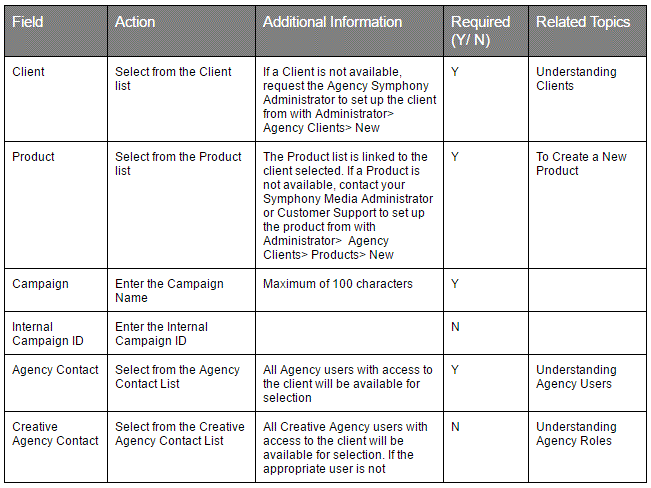
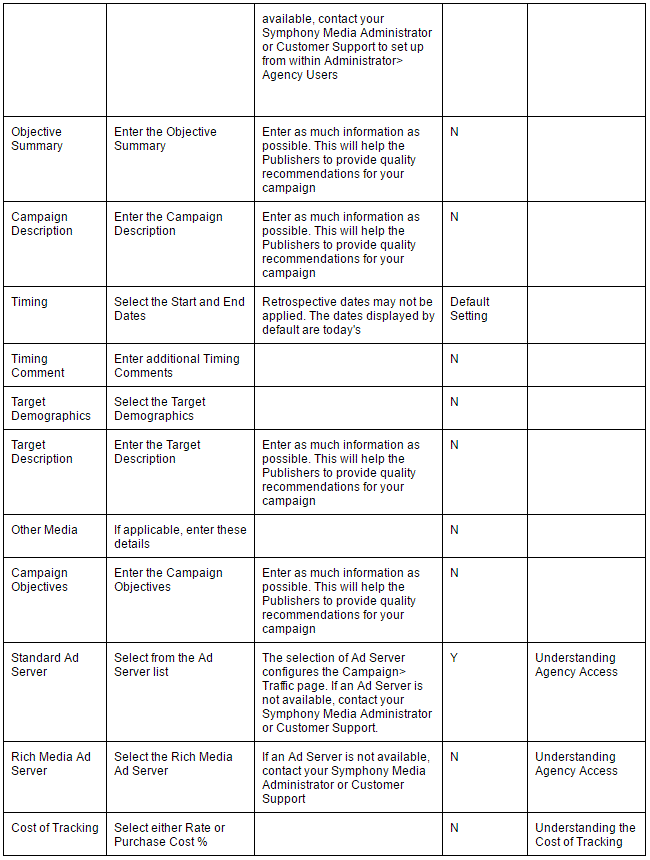
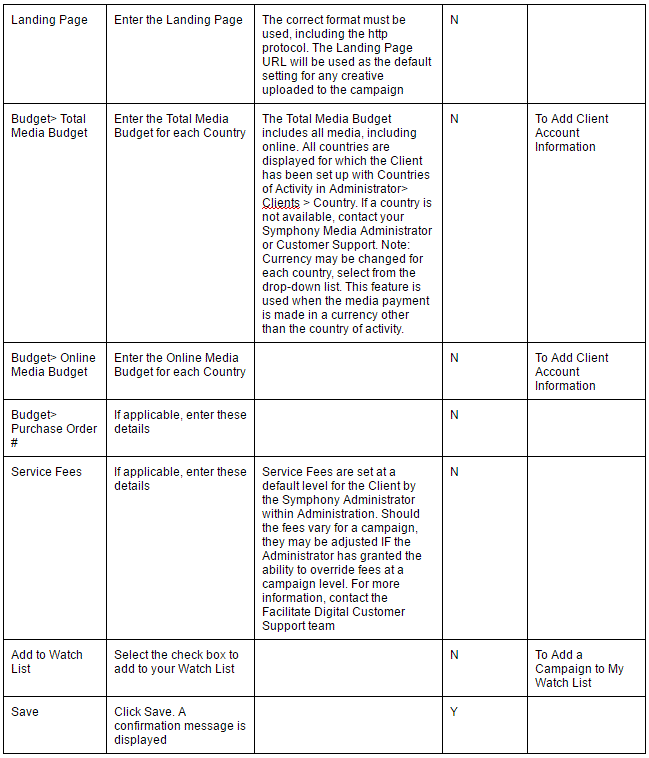
Enter the relevant details. All fields with an asterix (*) are mandatory
Comments
0 comments
Please sign in to leave a comment.